

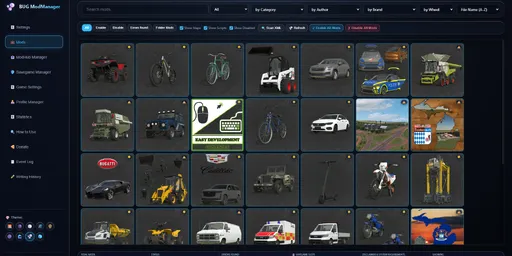
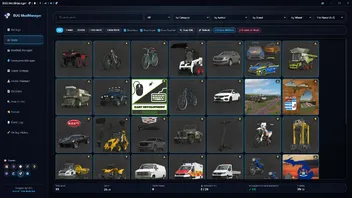
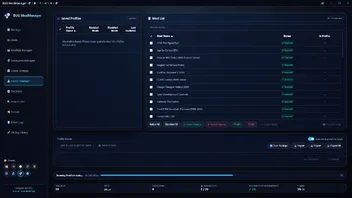
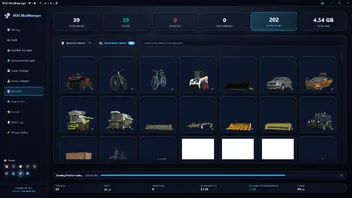
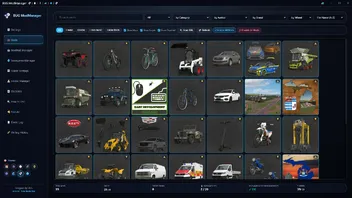
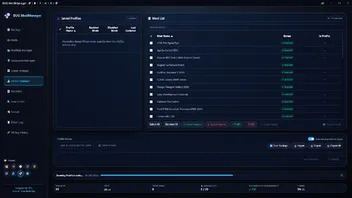
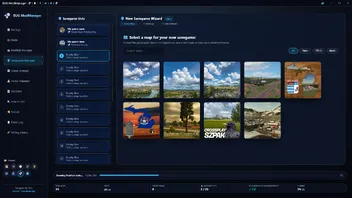
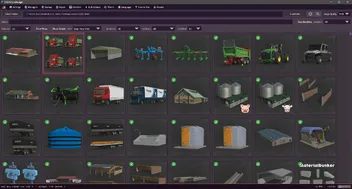
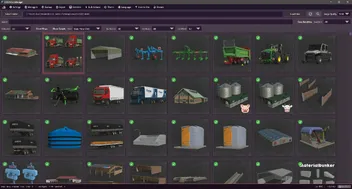
This is not a MOD! It is a program that allows you to manage your mods before launching the game.
License system: You must purchase a license to use the program. You can make your purchase at https://buggub.itch.io/bug-mod-manager. After purchasing your license, you need to run the program, log in with your itch.io account, and confirm the license.!
NOTE: Once the license system is activated, the program can be used offline for 14 days. It will not work without verification after 14 days.
The installation process is simple; you can easily install it by clicking “Next” repeatedly.
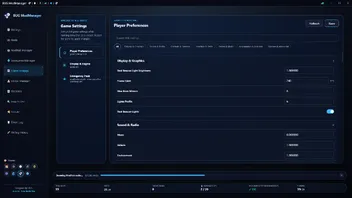
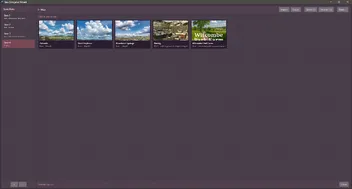
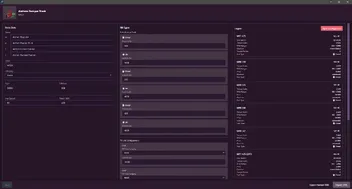
First Launch: On the Settings screen, make sure you’ve entered the correct paths for the game’s EXE and other files. The default paths are listed below. The entire game’s functionality depends on this setup.
Steam/Epic Paths:
SavePath : Documents\My Games\FarmingSimulator2025
ModPath : Documents\My Games\FarmingSimulator2025\mods
GamePath Steam : C:\Program Files (x86)\Steam\steamapps\common\Farming Simulator 25
GamePath Epic : C:\Program Files\Epic Games\FarmingSimulator25
Xbox Paths:
SavePath : Documents\My Games\FarmingSimulator2025
ModPath : C:\Users\[Username]\AppData\Local\Packages\GIANTSSoftware.FarmingSimulator25PC_[RandomID]\LocalCache\Local\mods
GamePath Xbox : C:\Users\[Username]\AppData\Local\Packages\GIANTSSoftware.FarmingSimulator25PC_[RandomID]\LocalCache\Local\
IMPORTANT! : I’ve tested everything, but it’s not possible for me to test every possible scenario. Therefore, if you encounter an error, please share the program’s log file along with the error output, the mod (if any) that caused the error, and a screenshot of the error.
Contact: buggub92@proton.me
Bilder



- Mod Yöneticisi
- LS25 modları
- Tarım Simülatörü 25 mod
- ls22 modları
- yasak modlar ls25
- fs25 modları
- ls25 modları almanca
- Almanca ls25 modları
- ücretsiz ls25 modları
- ls25 modu indir
- Farming Simulator 25 mod indir
- fs25 modu indir
- traktör modları ls25
- traktör modları fs25
- araç modları ls25
- araç modları fs25
- harita modları ls25
- fs25 haritaları
- ormancılık modları ls25
- ormancılık modları fs25
- gerçekçi modlar ls25
- gerçekçi modlar fs25
- ls25 modhub alternatifi
- pc ls25 modları
- çiftçilik simülatörü modları ü
- çiftçilik simülatörü 22 mod
- tarım simülatörü 25 adet mod
- ls25 haritaları indir
- ls25 topluluk modları
- çiftçilik simülatörü 25 eklent
- ls25 uzantıları
- ls25 güncelleme modları
- ls25 mod portalı
- ls25 dosya tabanı
- dev yazılım modları
-
Version 3.4.0.0
-
(4) -
BUG92 -
24. September 2026 um 14:20 -
136 Downloads
Version 3.4.0.0 (New Beginning) — Release Notes
[Infrastructure and Performance]
• Complete Architecture Modernization: Codebase migrated to Svelte 5 (Runes) and Rust architecture. UI performance, responsiveness, and overall system stability have been significantly improved.
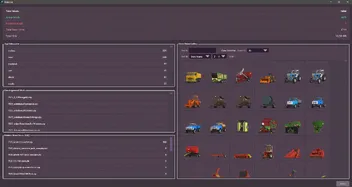
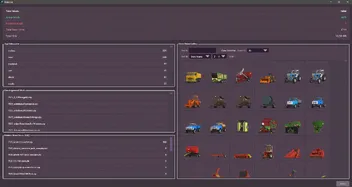
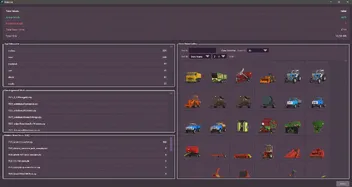
• Folder-Based Mod Support: Full scanning and editing capabilities provided for unzipped folder mods; brought to parity with the ZIP mod editing infrastructure.
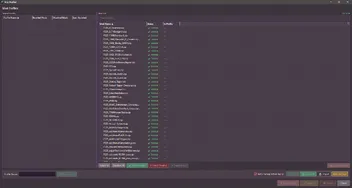
• Advanced Log Management: A comprehensive logging area tracking inputs, flow, and outputs of all program operations. Log entry limits can be customized between 5,000 and 100,000 lines, with an option to start each session with a fresh log. (Inside Settings)
• Dynamic UI Scaling: UI scaling support integrated into the Settings panel to adapt to different screen resolutions. (Inside Settings)
• Input History Management: Added an area to review and manage past keyboard data entries.
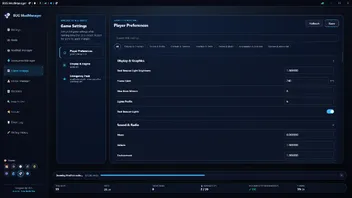
• Game Settings: An area where you can manage the game settings in the save location. It is still under development.[Engine Configurator and Performance Calculation]
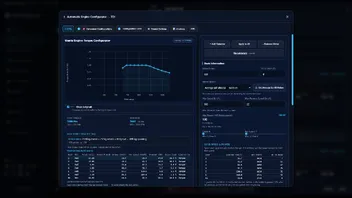
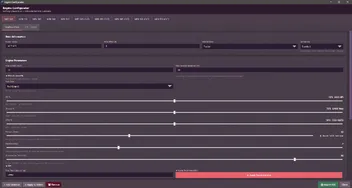
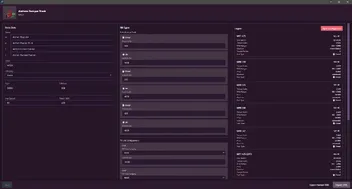
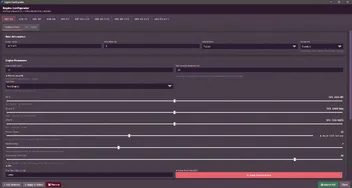
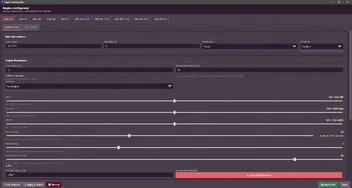
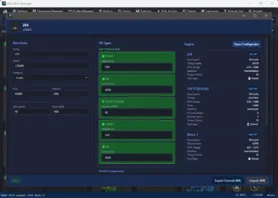
• Advanced Engine Configurator: Engine configuration infrastructure overhauled; significantly more detailed and precise technical calculation options provided.
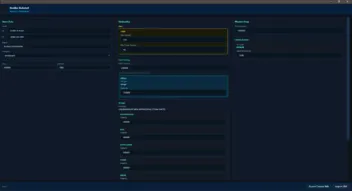
• Audio Editor and Live Audio Analyzer: Ability provided to modify vehicle audio files (.ogg, .wav) or container schema files via raw XML structure. Idle, launch, acceleration, and deceleration sounds can be monitored in real time with the integrated Live Audio Analyzer.
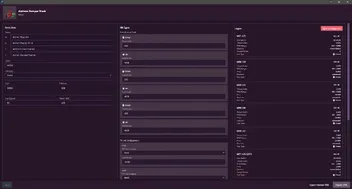
• Preset Architect (Preset System):
- Sub-Presets: Quick access to pre-embedded configurations.
- Custom Presets: Ability to save and reuse core calculation parameters.
- Preset Creator: Build configuration templates from scratch using detailed engine data.
• Ghost Torque Curve: Added an overlay system allowing visual comparison between the original power/torque output and applied changes.
• Flexible Speed Tolerance (Margin Allowance): Added a % tolerance/margin setting to the calculation stage to compensate for speed drops caused by vehicle mass, tire friction, and differential losses (e.g., with a 10% margin, an extra +2.75 km/h is factored in for a 55 km/h target). (Inside Settings)
• Automatic Launch Control: Added an automatic schematic correction system that analyzes launch data in vehicle XMLs and adjusts minimum launch acceleration to the 11 m/s² threshold. (Inside Settings)[Mod Editing and XML Tools]
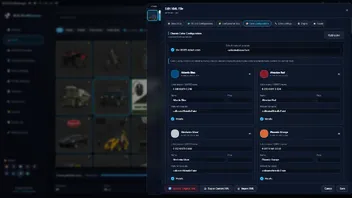
• Comprehensive Editing Window:
- Fill unit (FillUnit) and consumer (Consumer) settings expanded.
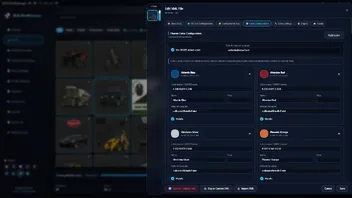
- Custom Color Configurator added for entries with color options.
- Support added for editing vehicle working widths directly via .i3d files.
• Advanced XML Formatter (Pretty Print): (Inside Settings)
- 4-space hierarchical indentation support.
- Standard self-closing (</a>) tag format.
• Automatic Empty Tag Cleaner: Added an option to automatically detect and clean empty tags (<en></en>) within the XML structure. (Inside Settings)[Integration and Player Tools]
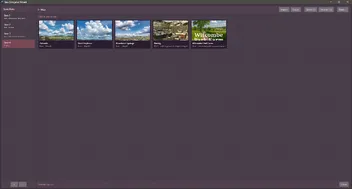
• Quick Game Launcher: Single-click launch function added to the title bar allows automatic skipping of intro videos, savegame selection, and mod list screens; direct launch support introduced to bypass the "Not Original Game" warning.
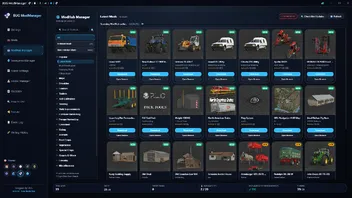
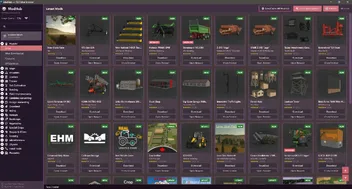
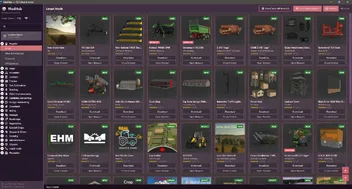
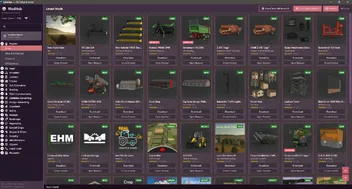
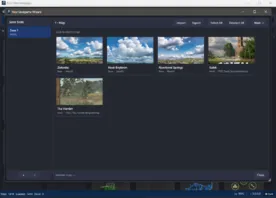
• ModHub Dependency Downloader: Added a system that automatically detects missing mod dependencies for maps, enables verified downloads via ModHub, and exports the requirement list as a .txt file.
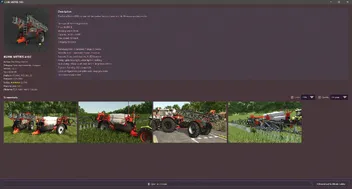
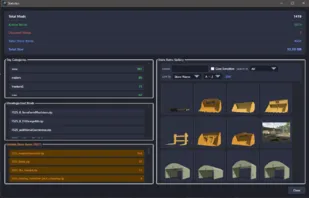
• Mod Health Score (0–100): Integrated a system that generates an informational health score by analyzing mod files based on DDS texture quality, Mipmap structures, and modDesc.xml.
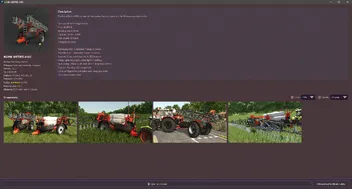
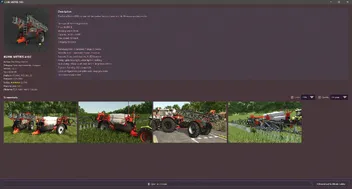
• Visual Inspector: Added a detailed image viewer that allows inspecting ModHub screenshots in full screen, lossless quality, with keyboard/mouse navigation.[UI, Themes, and Shortcuts]
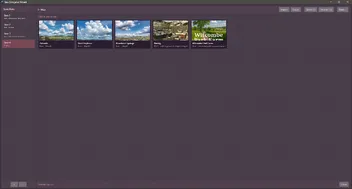
• Expanded Theme and Icon Architecture: 9 themes total. A responsive, reactive, and semantic icon architecture integrated across all themes.
• Advanced Shortcut System: Ability introduced to assign custom hotkeys to all interactive areas in the application. Default shortcut map added to "Settings" and "How to Use" sections. (Inside Settings)--------------------------------------------------
⚙️ FEATURES ACCESSED AND CONFIGURED WITHIN SETTINGS (SUMMARY LIST)
--------------------------------------------------
1. Shortcut Management System (Custom key assignments for all interactive areas)
2. XML Pretty Print and Automatic Tag Closing (4-space indentation and </a> format)
3. XML Empty Tag Cleaner Feature (Clearing empty elements such as <en></en>)
4. Advanced Log Management (5,000 to 100,000 line limit and start session with fresh log)
5. UI Scaling System (Scaling based on monitor resolution)
6. Engine Calculation Margin/Tolerance Allowance (Defining acceleration and speed tolerance via % value)
7. Launch Control Setting (Min 11 m/s² launch acceleration fix)Bilder
-
-
Version 3.3.5.0 Pre-Final
-
BUG92 -
24. Mai 2026 um 19:00 -
189 Downloads
Version 3.3.5.0 changes:
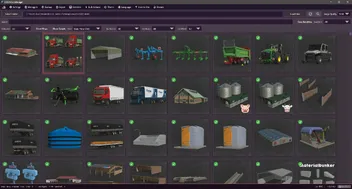
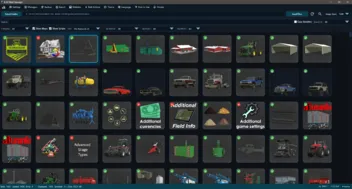
1. A "Non Installed Mods" filter has been added to ModHub. It only shows mods that are not installed.
2. A filter has been added to the main menu to only show mods with added notes.
3. Performance and Speed Optimizations (Freezing Issues Fixed): Heavy disk operations such as saving, backing up, opening/compressing ZIP files, and editing details of large mod files will no longer cause the application screen to drop to "Unresponsive". Additionally, the mouse cursor will show the waiting status.
4. Most crashes due to unexpected errors have been prevented. The application will no longer crash completely when searching on ModHub, switching between categories, pressing the refresh button, or when the internet connection is lost. In such cases, the application will now continue to work safely and will show you the error in the status bar or in an alert box.
5. Folder refresh errors have been fixed. If a problem occurs when refreshing your mod folder, such as a locked file, permission issue, or inaccessible folder, the application will detect the situation without giving an error and inform you.
6. Some theme and translation errors have been corrected.Bilder
-
-
Version 3.3.4.5
-
BUG92 -
20. Mai 2026 um 13:55 -
70 Downloads
Version 3.3.4.5 changes:
# Bug Fixes and Improvements
1. In-App Crashes Resolved: Unexpected crashes when quickly scrolling through the mod list or closing windows have been completely resolved.
2. Corrupted Mod Protection: Prevents incorrectly written or incomplete mod files from freezing or crashing the application.
3. Non-Freezing Fast Backup: Backup and restore processes are moved to the background, preventing interface freezing and speeding up large mod backups.
4. File Locking Protection: Prevents application crashes caused by (locked) mod files during download or copying.
5. Seamless ModHub Connection: Automatic background switching has resolved lags and slowdowns in the browser engine when pulling information from ModHub.
6. Prevention of Startup Errors: Prevents corrupted or faulty profile/configuration files from preventing the application from starting.Bilder
-
-
Version 3.3.4.0
-
BUG92 -
19. Mai 2026 um 14:45 -
36 Downloads
Version 3.3.4.0 changes:
1. ModHub: Improvements have been made to the general working logic.
2. ModHub: An additional setting has been added to Settings to hide mods belonging to the "Prefab" category.
3. ModHub: The working logic of the "Installed Mods" section has been improved.
4. ModHub: The working logic of automatic mod updates has been improved.
5. ModHub: A new button "Check Mod Updates" has been added to check only the "Installed Mods" section.
6. ModHub: A new button "Scan/Cache All ModHub" has been added. Its purpose is to scan the entire ModHub site and create a permanent and continuously updated cache. It takes time, but it speeds up update and uploaded mod detection.
7. ModHub: Mod rating systems are now visible.
8. Main: Several adjustments have been made to the filtering logic.
9. Global: A problem that caused pop-up windows to open in the background has been fixed.
10. Global: Changes were made to all themes and 2 new themes were added.
11. Global: Some potential security vulnerabilities were fixed.
12. Global: Some potential performance issues were fixed.
13. Global: Italian language was added.Bilder
-
-
Version 3.3.3.0
-
BUG92 -
24. April 2026 um 13:55 -
135 Downloads
Version 3.3.3.0 changes:
1. The necessary editing systems for "Animal Husbandry" have been integrated into the Edit window.
2. Five new filters have been added to the main window. You can now filter by Author, Brand, Wheel, Map, and Script.
3. An issue in the ModHub Manager that prevented users from performing other actions while downloading has been resolved. You can now use the store while a download is in progress.
4. In the main window, an issue causing subsequent actions to fail during quick actions—due to the previous action not completing—has been resolved.
5. In the main window, an issue causing the page not to refresh when all currently displayed mods were deleted has been resolved.
6. An information section has been added to the status bar area in the main window, showing the number of modes currently displayed, the number of modes selected, and the total size for multiple selections.
7. Portuguese, Chinese, Japanese, Hindi, and Polish languages have been added.
8. The issue of the download limit not working in the Settings area of the ModHub Manager has been resolved.
9. The issue of having both disabled and enabled mods in the Mods folder, resulting in duplicate file conflicts, has been fixed.
10. A "_BAK" feature has been added to the ModHub Manager to detect disabled mods.Bilder
-
-
Version 3.3.2.0
-
BUG92 -
20. April 2026 um 09:53 -
129 Downloads
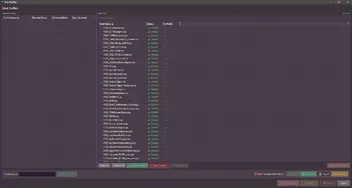
1. The issue where the name of the relevant XML file was changed to “ZIP” during the XML Export process in the Edit window has been resolved. A folder named “ZIP” is now created, and the XML file is backed up inside it under its original name.
2. An issue that caused the previous Drag/Drop fix to break when Refresh was triggered has been resolved.
3. The Refresh logic has been updated. Now, only changed files are monitored and updated.
4. A bug in the Update mod logic within ModHub has been fixed.
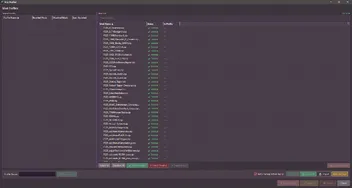
5. A "Copy" button has been added to the XML Error window for each error. It copies the file/line number and the description. -








-

Funktioniert nicht
-
-
kaufm30 -
3.4.0.0 -
24. September 2026 um 18:56
Ich habe bezahlt und herunter geladen, aber es funktioniert nicht. Es verlangt immer eine gerätebestätigung. ich möchte daher das geld zurück
Antwort von BUG92 (
24. September 2026 um 19:48 ):Melden Sie sich bei uns, damit wir uns das Problem ansehen können. Sofern Sie keine Probleme mit Windows 11 und WebView2 haben, sollte es keine Schwierigkeiten geben. buggub92@proton.me
-
-

Kopfschütteln nur
-
-
rmn180 -
3.4.0.0 -
24. September 2026 um 17:33
Moin Gemeinde
Modder unterstützen. Großartige Mods belohnen. Mods kostenlos anbieten. Scheint immer noch keiner zu BEGREIFEN HIER

-
-

Paid Download only...
-
-
Iwan1803 -
3.4.0.0 -
24. September 2026 um 16:48
Auf der Downloadseite gibt es keine Möglichkeit, ohne Bezahlung an den Download des Programms (kein Mod) ranzukommen.
BUG92 schon mal an eine Spendenseite statt einer Paywall gedacht?
Kleiner Hinweis: Gewerbeschein aber den hast du ja bestimmt schon...ZitatWarum sollte ich das Programm denn als Link teilen, ohne dafür zu bezahlen? Das nützt euch ja nichts.
Du meinst bestimmt "ohne dafür bezahlt zu werden", oder? Wenn nun jeder glaubt, das er für sein Hobby (bzw. dann Gewerbe) bezahlt werden müsste....

Antwort von BUG92 (
24. September 2026 um 17:07 ):Ohne Lizenz kannst du das Programm nicht nutzen. Das heißt, du musst bezahlen. In diesem Fall gibt es kein Problem. Warum sollte ich das Programm denn als Link teilen, ohne dafür zu bezahlen? Das nützt euch ja nichts. Für Käufer gibt es bereits die Möglichkeit, das Spiel direkt herunterzuladen. Wenn Sie das Spiel gekauft haben, können Sie es direkt über den Bereich „Meine Bibliothek“ auf itch.io herunterladen.
-
-

Bezahlmod....
-
-
Unknown -
3.4.0.0 -
24. September 2026 um 16:36
Download verbirgt sich hinter einer reinen Paywall..... Download ohne Zahlung wird hier nicht angeboten. Da war doch mal was, mit einer sehr gehypten Map und einem darauf gefolgten Posting von Giants....
BUG92 genau das ist hier das Problem, das ist laut Giants (siehe Link) strikt untersagt!
Antwort von BUG92 (
24. September 2026 um 16:41 ):Mit Version 3.4.0.0 bin ich nun auf eine kostenpflichtige Version umgestiegen. Um sie nutzen zu können, müssen Sie sie erwerben. Frühere Versionen sind weiterhin auf vielen Websites erhältlich.
-